


A Student's Guide to Generative AI for Data Analytics
A STUDENT’S GUIDE TO GENERATIVE AI FOR DATA ANALYTICS
Data analytics is becoming an important skill for students across many fields. Businesses use data to understand customers, improve operations, and make better decisions. At the same time, generative ai is changing how students can work with information, analyse data, create content, and learn new skills. Understanding how to use AI along with data analytics can help students prepare for a workplace where technology is used in many different roles.
What Is Generative AI for Students?
Generative AI is a type of artificial intelligence that can create new content based on instructions given by a user. Depending on the tool, it can generate text, images, summaries, ideas, code, presentations, and other content.
For students, AI can be useful as a learning assistant. It can explain difficult topics in simpler language, suggest examples, help organise information, and support basic data analysis. However, students should use AI as a support tool rather than depending on it for every task.
AI is also connected to broader fields such as machine learning and artificial intelligence. While students do not need to become AI specialists immediately, understanding the basic ideas behind these technologies can make it easier to use modern ai tools effectively.
How Students Can Use AI to Study Smarter
Every student learns differently. Some students understand a topic better through examples, while others prefer step by step explanations or practice questions.
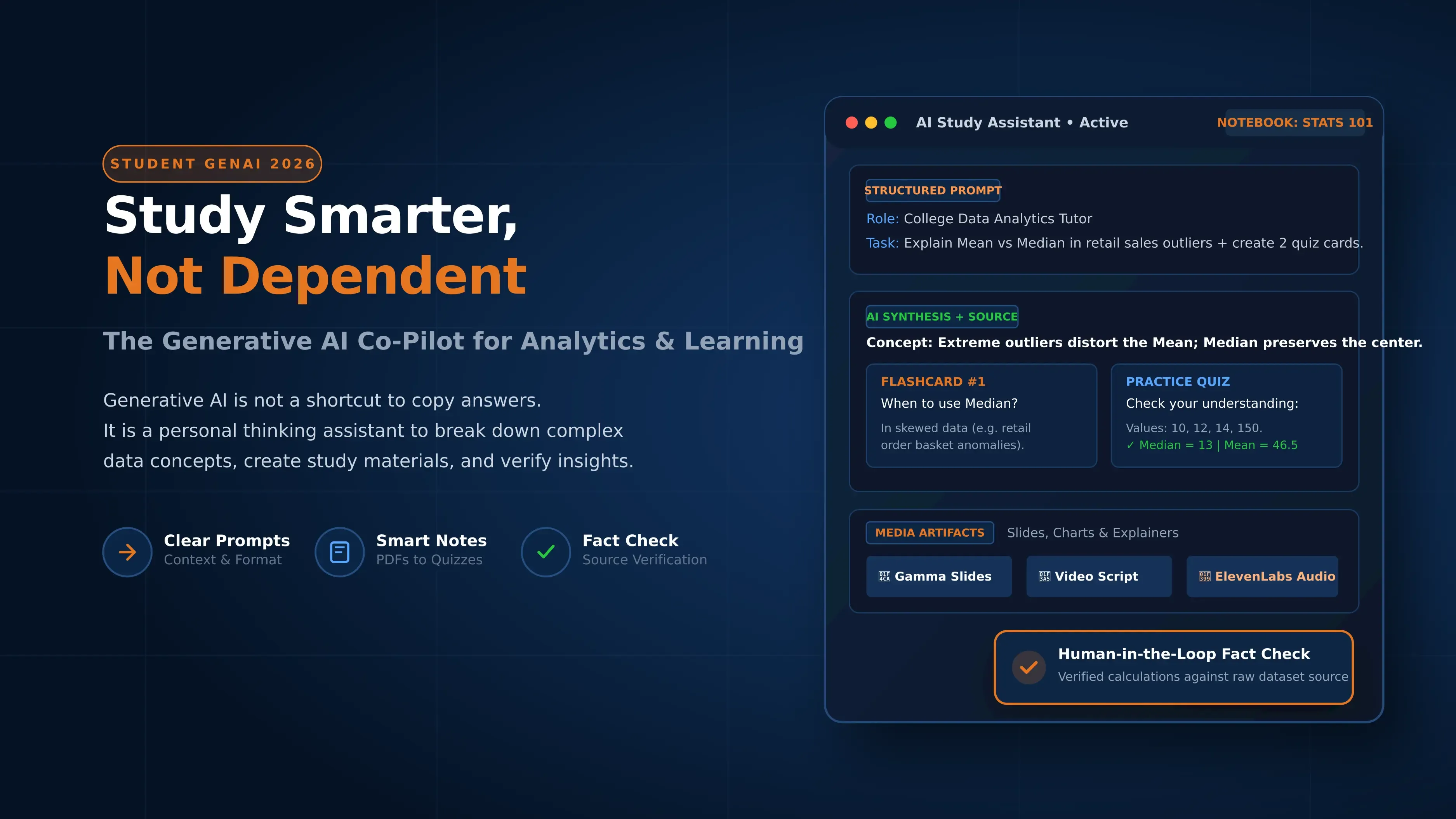
AI can help students create personalised study material. A student can ask an AI tool to explain a topic at a basic level, provide examples, create practice questions, or summarise notes.
For example, a student studying statistics can ask AI to explain the difference between mean, median, and mode using a simple dataset. The student can then solve similar problems independently.
This approach supports ai learning because students are actively using technology to improve their understanding instead of simply copying answers.
Why Prompting Matters When Using AI for Learning
The quality of an AI response often depends on the instructions provided. A vague prompt may produce a general answer, while a clear prompt can give a more useful response.
Students can improve their prompts by explaining the topic, their level of knowledge, the desired format, and the purpose of the task. For example, instead of asking, "Explain data analytics", a student could ask for a simple explanation suitable for a first year college student, followed by a practical example.
Learning how to give clear instructions is an important part of learning about ai. Students should also ask follow up questions when they do not understand an answer.
Using AI to Turn Ideas into Visuals and Creative Content
AI can help students turn ideas into visual content. Depending on the tools available, students can create diagrams, illustrations, charts, storyboards, and other learning materials.
For example, a student studying a data analytics project could use AI to plan a visual representation of a dataset and then create the actual chart using an appropriate data visualisation tool.
This can be particularly useful when a concept contains several connected ideas. A visual representation can help students understand relationships that may be difficult to see in a long block of text.
Students should still check whether the visual accurately represents the information. AI generated content can contain errors.
How Students Can Use AI to Create Better Presentations and Videos
Presentations are an important part of college and professional life. AI can help students organise ideas, create presentation outlines, suggest slide structures, and prepare speaking points.
Students can also use AI to develop video scripts for academic projects. For example, a student working on a project about customer behaviour could use AI to organise the introduction, explain the data, present the findings, and prepare a conclusion.
The student should remain responsible for the final presentation. AI can help with the first draft, but the student needs to verify facts and make sure the content reflects their own understanding.
From AI Tools to a Personal AI Study Assistant
Using several ai tools separately can sometimes make learning confusing. Students may use one tool for notes, another for research, and another for presentations without having a clear process.
A personal AI study assistant can help bring some of these activities together. Students can use AI to organise study plans, summarise their own notes, create revision questions, and track topics that need more practice.
The idea is not to let AI do all the studying. Instead, students can use AI to reduce repetitive work and spend more time understanding concepts, practising skills, and solving problems.
One Student, Five Ways to Use Generative AI
A student can use generative ai in several ways while maintaining an active role in the learning process:
- Research support: Ask AI to explain a topic and suggest areas that need further research.
- Study material: Turn personal notes into summaries, flashcards, or practice questions.
- Data analysis: Ask AI to explain trends in a dataset or suggest possible ways to analyse information.
- Project planning: Break a large college project into smaller tasks and create a simple timeline.
- Communication: Prepare first drafts of emails, reports, presentations, or project explanations.
These uses show how ai and automation can reduce repetitive tasks while leaving important learning and decision making with the student.
Can Students Use AI Without Becoming Dependent on It?
AI can make learning faster, but using it for every question can reduce opportunities to practise independent thinking. Students should first try to understand or solve a problem themselves whenever possible.
For example, a student learning programming can attempt to write a solution before asking AI for help. If the program does not work, AI can then be used to explain the error or suggest areas to check.
The same approach works with data analytics. Students should learn how to interpret data rather than asking AI to provide every conclusion.
Using ai for automation should therefore focus mainly on repetitive tasks, while reasoning, creativity, judgement, and learning remain active human responsibilities.
How to Fact Check AI Generated Information
AI can produce information that sounds correct but may contain errors. Students should develop the habit of checking important facts before using them in assignments or projects.
Useful steps include:
- Compare important claims with trusted sources.
- Check original research papers or official websites where appropriate.
- Verify numbers, dates, names, and statistics.
- Test calculations instead of accepting them automatically.
- Ask whether the information is current.
- Check the source of data used in a project.
Students should also understand that different generative ai models may produce different responses. An answer should be evaluated based on evidence, not simply accepted because it was generated by an AI system.
What GenAI Skills Will Students Need for the Future?
Future professionals are likely to work with AI in many different fields. Students can prepare by learning how AI works at a basic level and how it can be applied to real tasks.
Important skills include prompt writing, fact checking, data analysis, communication, problem solving, AI assisted research, and responsible use of technology.
Students can also explore how AI connects with automation, project management, programming, and analytics. For example, ai and project management can help with task planning, meeting summaries, documentation, and project communication.
The goal of learning in ai should not be limited to knowing how to use a chatbot. Students should understand how to select the right tool, give useful instructions, check the output, and apply the result appropriately.
How GenAI Skills Can Help Students Across Different Career Paths
AI skills can be useful across technology, marketing, finance, education, business, design, and other fields. A student interested in marketing can use AI for content ideas and customer research. A software student can use it for coding support and debugging. A management student can use it for reports, research, and project planning.
Students interested in data analytics can combine AI with spreadsheets, SQL, Python, and visualisation tools. Those exploring an ai platform can also learn how different AI capabilities are connected and used within workplace systems.
The key is to build transferable skills rather than learning one tool that may change over time.
Case Study
Consider a student who receives a dataset containing information about customer purchases. The student first examines the data and identifies the questions the project needs to answer.
The student then uses AI to understand unfamiliar analytical concepts and asks for suggestions on how to organise the analysis. After cleaning the dataset using appropriate tools, the student studies sales patterns and creates charts to present the findings.
AI is also used to help structure the project presentation and prepare questions that the audience may ask. Before submitting the project, the student checks the calculations, verifies important claims, and reviews the final content.
Here, AI supports the student's workflow without replacing the student's analysis. The student still makes the key decisions and understands the final results.
Why is the GenAI Spark Program for Students by NIIT Digital a strong choice?
The GenAI Spark Program for Students by NIIT Digital is designed to help students use Generative AI for learning, creativity, communication, and everyday academic tasks. Instead of focusing only on AI concepts, the program gives learners hands-on experience with practical AI tools.
Across four focused sprints, students learn how to write better prompts, turn notes and PDFs into useful study material, create visuals and presentations, generate audio and video content, and build a basic AI-powered study assistant.
The program also introduces students to responsible AI use, fact-checking, improving AI outputs, and using AI independently. This makes the learning experience useful not only for academic work but also for developing skills that can support future education and career goals.
Program at a Glance
| Parameter | Details |
|---|---|
| Program Name | GenAI Spark Program for Students |
| Provider | NIIT Digital |
| Duration | 16 Hours |
| Format | Online, Mentor-Led |
| Curriculum Structure | 4 Sprints |
| Core Focus | Generative AI, Prompting, Learning, Creativity, Communication, AI Assistants |
| Learning Approach | Hands-on and Self-Guided Practice |
| AI Tools | 15+ AI tools |
| Practical Learning | 70% of the program |
| Certification | NIIT Professional Certificate |
| Program Fee | ₹2,499 + 18% GST |
| Batch Status | Batches opening soon |
| Schedule | Custom schedule assistance available |
What Does the GenAI Spark Program for Students Cover?
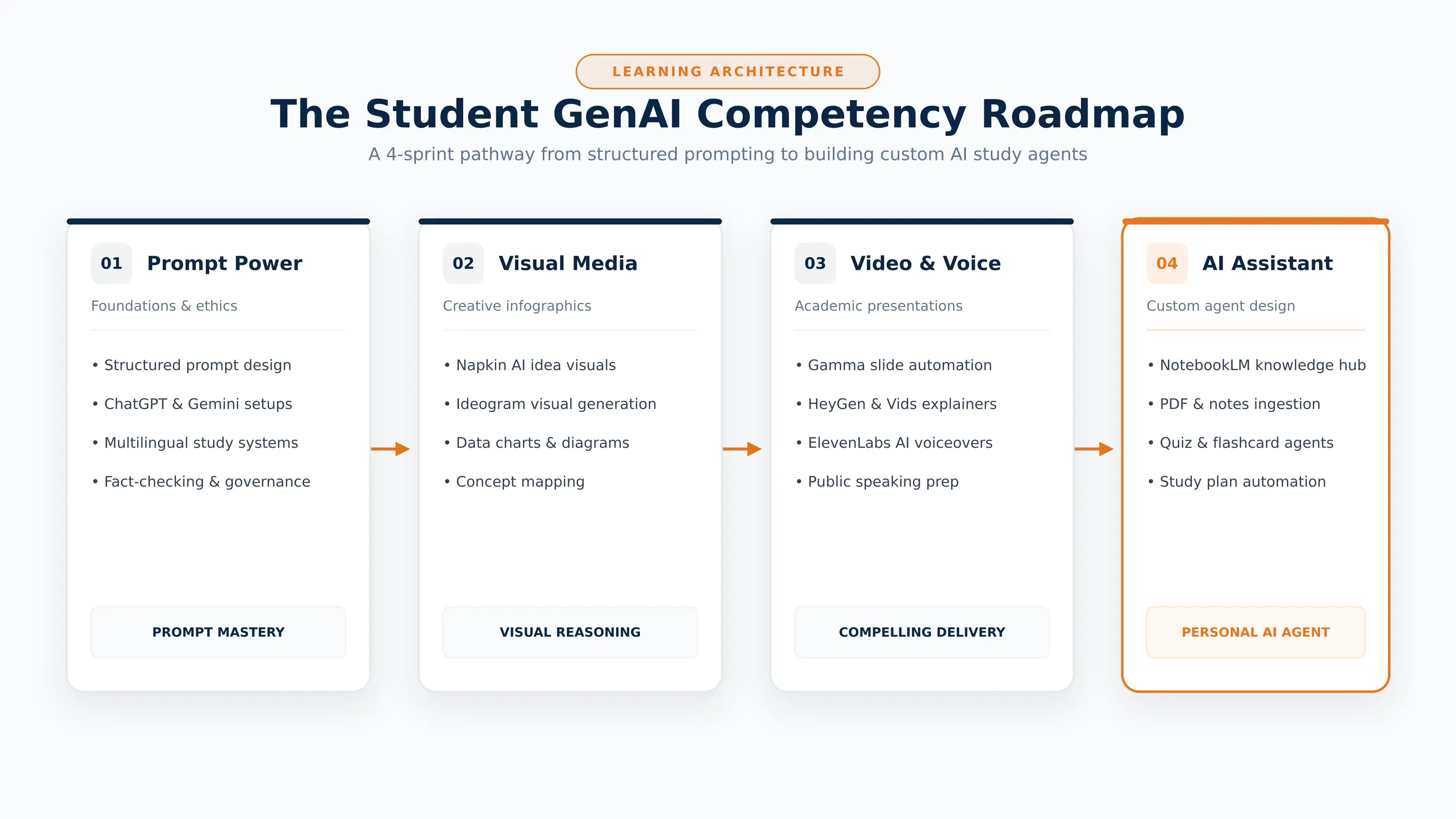
The program is divided into four sprints that gradually introduce students to Generative AI and its practical applications.
Learners begin with GenAI foundations and prompting, move into visual storytelling and creative media, learn to create presentations and video content, and finally explore how to design a simple AI-powered study assistant.
| Sprint | Module | Duration | Key Focus Areas |
|---|---|---|---|
| 1 | GenAI Foundations and Prompting Power | 4 Hours | GenAI fundamentals, structured prompting, study systems, multilingual learning, responsible AI |
| 2 | GenAI for Visual Storytelling and Creative Media | 4 Hours | AI-powered visuals, creative media and visual storytelling |
| 3 | GenAI for Presentation, Video, and Public Speaking | 4 Hours | Presentations, video explainers, voiceovers and communication practice |
| 4 | Design Your Own Study Assistant with AI Agents | 4 Hours | Basic AI-powered study assistant design and testing |
Tools and Technologies
The program provides hands-on exposure to a range of Generative AI tools for learning, content creation, presentations, visual design, audio and video.
| Tool | Application Area |
|---|---|
| Gemini | Generative AI |
| ChatGPT | Learning, prompting and content creation |
| NotebookLM | AI-supported knowledge and document learning |
| Suno | AI music and audio creation |
| Gamma | AI-assisted presentations |
| Google Vids | AI-supported video creation |
| HeyGen | AI video creation |
| ElevenLabs | AI voice and audio |
| Napkin AI | Visual storytelling and idea visualization |
| Claude | Generative AI and content support |
| Ideogram | AI-generated visuals |
Learning Outcomes
By the end of the program, students can apply Generative AI to a range of academic, creative and communication tasks.
| Skill Area | Learning Outcome |
|---|---|
| AI-Assisted Learning | Convert notes and PDFs into summaries, quizzes and flashcards |
| Prompting | Write clear, structured prompts for different learning tasks |
| Visual Creation | Create infographics and visuals using AI tools |
| Audio Creation | Generate original music and audio using AI |
| Presentation Skills | Build presentations using AI |
| Video Creation | Create video explainers and AI-assisted voiceovers |
| Communication | Improve communication through AI-assisted practice |
| AI Assistants | Design and test a basic AI-powered study assistant |
| Responsible AI | Apply responsible AI practices and fact-check AI outputs |
Industry-Recognized Certification
Students who successfully complete the program receive an NIIT Professional Certificate.
| Certification Benefit | Details |
|---|---|
| Global Recognition | The certificate is positioned as being accepted by leading employers and organizations worldwide |
| Easy Sharing | Students can add the certificate to LinkedIn, resumes and professional portfolios |
| Career Value | Demonstrates practical GenAI skills aligned with industry needs |
Data-Driven Learning, Delivered with Quality
The program combines structured learning with mentor interaction, practical activities and progress tracking.
| Learning Feature | How It Supports Students |
|---|---|
| Structured Learning Roadmap | Clear learning pathways through the LMS with defined milestones and module progression |
| Learner Connect Sessions | Regular live mentor interactions to resolve doubts and reinforce concepts |
| AI Assisted Faculty Quality Monitoring | AI-assisted analysis of faculty performance to support consistent teaching quality |
| Program Performance Report | Tracks attendance, assignments, assessments, quizzes and overall performance |
| Extensive Hands-on Learning | 70% of the program focuses on guided practical application and activity-based learning |
| Responsible AI Integration | Governance, ethical use and classroom AI usage policies are integrated throughout the program |
Learning Methodology
| Method | How It Works |
|---|---|
| Mentor-Led Learning | Students learn through guidance from experts |
| Hands-on Practice | Students actively use GenAI tools during the program |
| Self-Guided Practice | Learners get opportunities to practise independently |
| Activity-Based Learning | Concepts are reinforced through practical activities |
| Responsible AI Practice | Students learn to use AI responsibly and fact-check outputs |
Who Can Consider This Program?
The program can be considered by students who want to understand how Generative AI can support their studies, creativity and communication.
| Student Interest | How the Program Can Help |
|---|---|
| Academic Learning | Use AI for summaries, quizzes, flashcards and study organization |
| Presentations | Create presentation content and visual material |
| Creative Projects | Explore AI-generated visuals, music, audio and video |
| Communication | Practise and improve communication using AI |
| Public Speaking | Use AI-assisted practice for better preparation |
| Future Readiness | Develop practical familiarity with modern GenAI tools |
| AI Exploration | Understand how basic AI-powered study assistants work |
What Students Can Create
| Output | Application |
|---|---|
| Study Summaries | Convert notes and PDFs into concise learning material |
| Quizzes | Create AI-assisted practice questions |
| Flashcards | Turn study material into revision cards |
| Infographics | Present information visually |
| Presentations | Build structured presentations |
| Video Explainers | Explain concepts through video |
| Voiceovers | Add AI-generated voice to content |
| Music and Audio | Explore AI-generated audio and music |
| Study Assistant | Design and test a basic AI-powered assistant |
Duration, Batch and Fee
| Parameter | Details |
|---|---|
| Duration | 16 Hours |
| Upcoming Batches | Batches opening soon |
| Schedule | Custom Schedule Assistance available |
| Fee | ₹2,499 |
| GST | 18% GST extra |
| Total Before Any Other Charges | ₹2,948 including 18% GST |
Take the Next Step
AI is becoming part of how students study, create, analyse information, and prepare for careers. The most useful approach is not to let AI do the work, but to learn how to work effectively with AI.
Ready to move beyond casual AI use?
Explore NIIT Digital's GenAI Essentials for Students program and start building practical AI skills for your future career.
Explore the ProgramFrequently Asked Questions
1. What is generative AI?
A: Generative AI is a type of artificial intelligence that can create content such as text, images, summaries, code, and other outputs based on user instructions.
2. How can students use AI for data analytics?
A: Students can use AI to understand analytical concepts, explore datasets, generate ideas for analysis, explain code, create summaries, and prepare presentations. They should verify calculations and findings before using them.
3. Can AI replace data analytics skills?
A: AI can support many data related tasks, but students still need to understand data, ask the right questions, interpret results, and check whether AI generated conclusions are accurate.
4. What AI skills should students learn?
A: Students can start with prompt writing, AI assisted research, fact checking, data analysis, content creation, automation, and responsible AI use. They can then explore more advanced applications based on their career interests.
5. Why should students learn AI through a structured program?
A: A structured program can help students move beyond casual AI use. It can provide guidance, practical activities, examples, and a clear learning path so students understand how AI can be applied to academic work and future careers.
NIIT
Expert Contributor
Industry expert contributing to NIIT's knowledge base on technology and education.